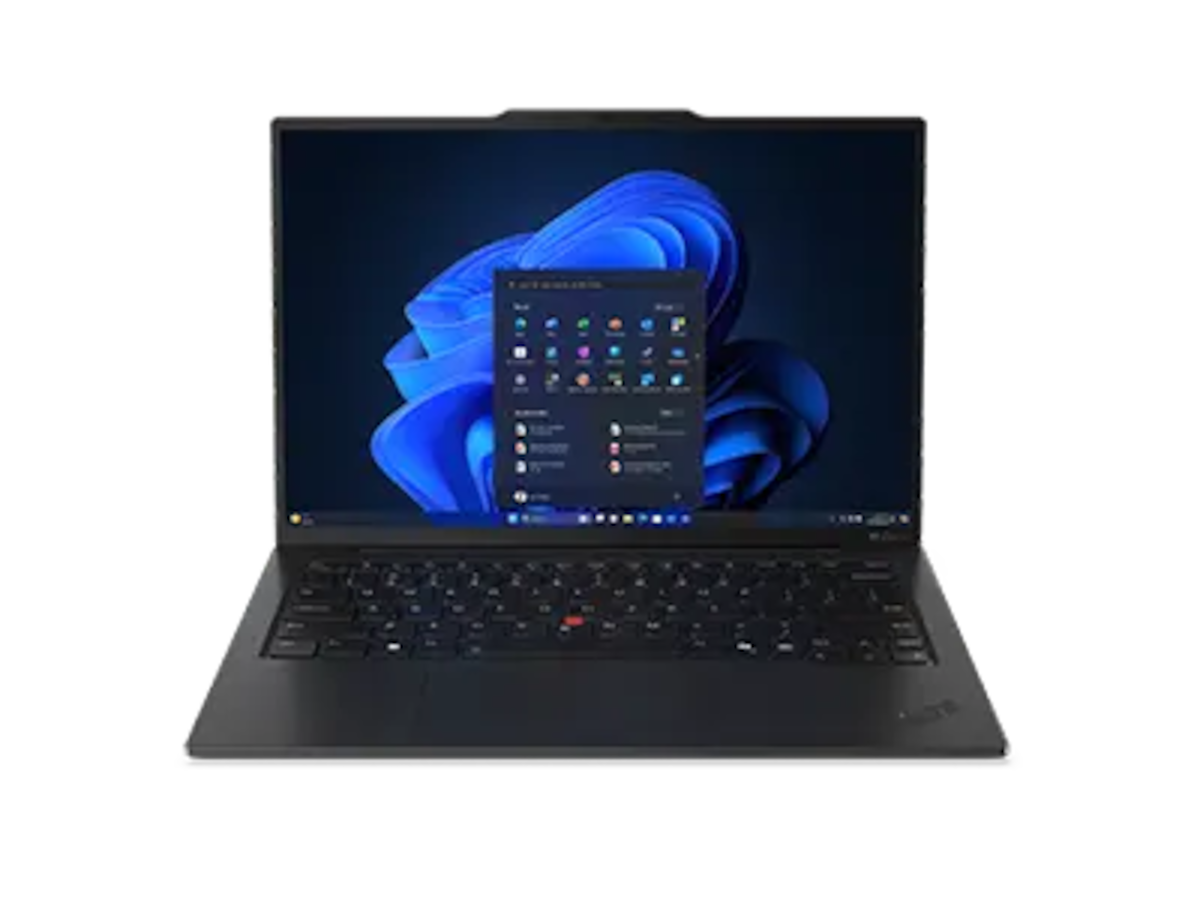
What this is
I’m writing this up as a research note — a structured summary of what multiple independent reviews and Lenovo’s own spec sheet say about the ThinkPad X1 Carbon Gen 13 Aura Edition. When I first wrote this, I had not held one. I have since had a brief in-store session with a display unit at a local Micro Center; brief impressions from that are in the hands-on companion piece. The body of this article is still the desk-research version — please read it as such.
Where you see anything that sounds like an opinion, take it as second-hand at best.
For actual hands-on impressions, the reviews I leaned on most heavily are linked at the end of this article. If you’re seriously considering this laptop, please read one or two of those before buying.
For product photos, see Lenovo’s official product page. I don’t have my own photos to share.
TL;DR
- 14-inch ThinkPad that genuinely weighs under 1 kg in its lightest configuration — Lenovo claims 986 g, two independent reviewers measured 982 – 984 g, slightly under the spec.
- OLED option is 2880 × 1800 at 120 Hz, with measured peak brightness from reviewers landing in the 400 – 500 nits range depending on the test methodology.
- Battery life in mainstream review tests came in around 9 – 12 hours at 150 nits.
- Powered by Intel’s new Lunar Lake generation (Core Ultra 5 226V or Ultra 7 258V), which is built specifically for low-power laptops.
- It still has USB-A.
The weight situation

Lenovo’s spec sheet says “starts at 986 g”. This is the number on every press release.
What’s interesting — and rare — is that independent reviewers measured the actual review unit at slightly less than that:
- Tom’s Hardware: 982 g
- Multiple sources cited via aggregators: 984 g
Most laptops drift heavier than the marketing spec once you weigh them. This one didn’t.
The standard caveats still apply:
- The 986 g number is the lightest configuration, per Lenovo’s spec sheet. Some configurations (OLED, touch, 5G WWAN) historically add weight in this product family, though the picture for Gen 13 is more nuanced than I first assumed — the WUXGA IPS + touch + 1 TB SSD configuration sold at Micro Center (SKU 21NTS3SC00) is listed at 0.98 kg, the same as the lightest-config claim. So the touch panel doesn’t seem to be the weight penalty I had guessed.
- For the OLED config specifically, I haven’t been able to find a confirmed measured weight yet. Reviewers measuring the IPS units came in at 982 – 984 g; OLED is usually a bit heavier but I’d like to see real numbers before quoting one.
If you specifically want the OLED panel — and on a site called “under1kg” I will admit I’d be tempted — be aware that you are likely giving up a small amount of the lightness advantage. Lenovo doesn’t publish the per-config weight, so you have to ask the seller or watch for reviewers who measure their actual unit.
Display
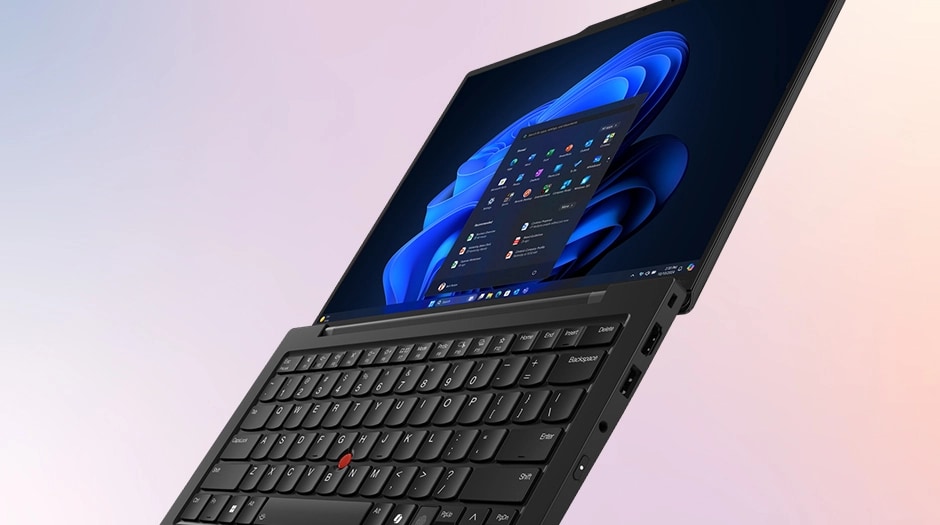
The OLED option is a 14-inch 2880 × 1800 panel at a 120 Hz refresh rate, anti-glare, with Dolby Vision and DisplayHDR True Black 500 certification. 100% DCI-P3 coverage. Touch is optional.
Measured peak brightness varies by source and test:
| Source | Measured peak brightness |
|---|---|
| IT Pro | 502 cd/m² |
| Tom’s Guide | 472 nits |
| Notebookcheck (average) | ≈ 410 cd/m² |
| Trusted Reviews | 400.2 nits |
For context, 400 nits is workable indoors. Outdoor visibility on OLED laptops in this range is generally limited — bright sun is going to wash it out regardless of which review you trust.
A WUXGA (1920 × 1200) IPS option also exists. It’s lighter, uses less power, and is what you pick if you want maximum battery life. I would not pick it if the screen is something I look at all day, but that’s a preference, not a fact.
Battery
Reviewer tests (web browsing at 150 nits, which is the standard methodology):
- Tom’s Hardware: 11 h 28 min
- PCMark 10 test: 11 h 51 min
- Real-world average reported by Moor Insights: ≈ 9 hours
Multiple reviewers noted this is roughly a 30% improvement over the previous generation. Lunar Lake’s efficiency gains are real and the X1 Carbon line has historically had above-average battery life for the weight class.
If you push the OLED panel above 150 nits or run video at high brightness, expect numbers below the test results above. Nothing in this category gets all-day battery if you actually use it.
CPU and memory
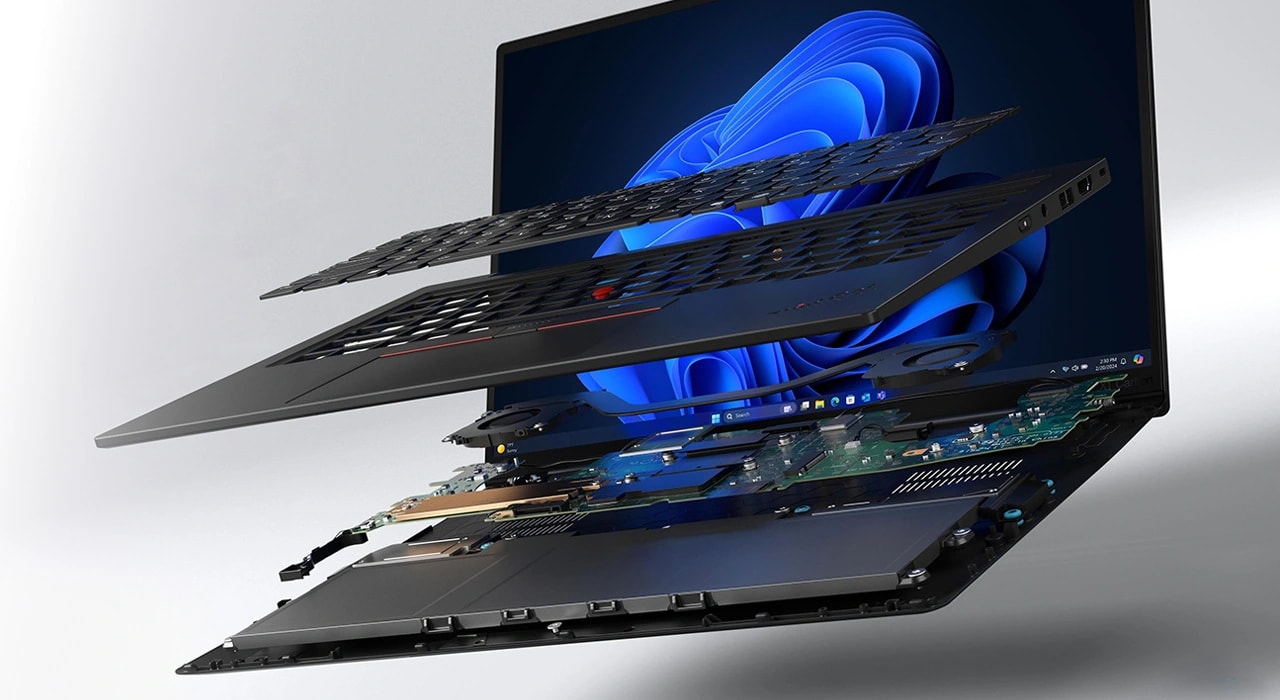
Intel Core Ultra (Series 2) — the 226V (5-core) or 258V (8-core) options. This is the Lunar Lake generation, which Intel designed specifically for thin-and-light laptops with on-package LPDDR5x memory.
Practical implications:
- RAM is soldered and on-package. You cannot upgrade later. Choose 16 GB or 32 GB at order time and live with the choice. For under1kg’s audience — people who keep a laptop for 4-5 years and use it heavily — I’d lean toward 32 GB if the budget allows.
- A built-in NPU is present. Whether you’ll use it depends on what Windows ships in the next year or two. Don’t pay extra for it specifically.
- Single-thread performance is fine for daily work. Sustained multi-threaded throughput is limited by the thermal envelope of a 986 g chassis. If you compile large codebases or run heavy local workloads, this is not your laptop — and that’s true of every laptop in this weight class, not just this one.
Ports
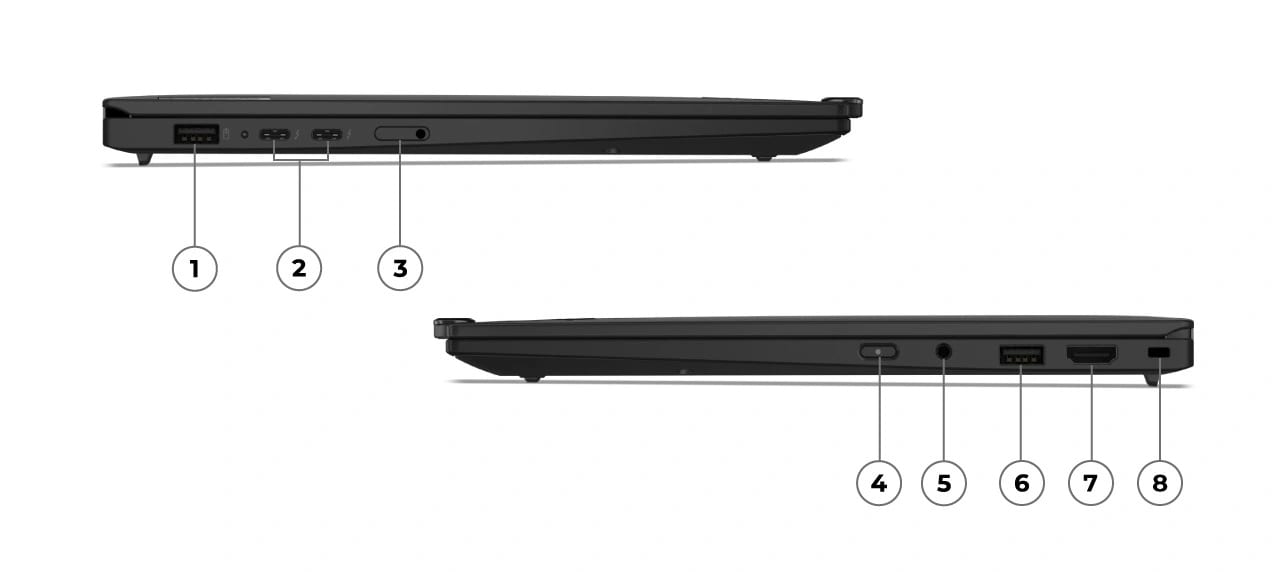
The X1 Carbon line has historically retained USB-A, and Gen 13 keeps two of them — one on each side. The full layout, from Lenovo’s own diagram:
- Left side: USB-A 3.2, two USB4 / Thunderbolt 4 (one of which carries power), SIM tray.
- Right side: power button, 3.5 mm combo audio jack, second USB-A, full-size HDMI, Kensington lock slot.
For a 986 g 14-inch laptop in 2025, this is unusually generous. Most ultralights in this weight class dropped USB-A entirely (the MacBook Air, the Asus Zenbook S 13 OLED, the LG Gram Style). Two USB-A plus full HDMI means you can plug into a conference room projector, a wired presenter remote, and a flash drive without any dongles.
The trade-off Lenovo made: there’s no SD or microSD slot. If you shoot photos and want to pull cards in the field, you’ll need a dongle.
What’s harder to summarize from public information
These are all things that matter and none of them can be honestly covered from reading specs:
- Keyboard feel. Reviewers consistently praise ThinkPad keyboards; the Aura Edition’s slimmer chassis has been noted in a couple of reviews as having a slightly different travel than older X1 Carbons. Whether you’ll like it is personal.
- Hinge and chassis stiffness at 986 g. Carbon-fiber laptops can feel less rigid than metal in this weight class. Reviewers don’t seem to think this is a problem here, but I haven’t held one.
- Fan noise and thermals under sustained load.
- Speakers. Almost universally a weak point on ultralights; this is unlikely to be an exception.
- Coil whine, pop noises, panel uniformity, hinge wobble — the small things that you only learn after weeks of use.
If any of these matters to you, please read at least one full hands-on review and ideally try the laptop in person at a Best Buy or a Lenovo event before buying.
Configuration to consider
If I were spending my own money on this laptop, the configuration I’d look at first would be:
- Intel Core Ultra 7 258V
- 32 GB RAM (soldered, can’t change later)
- 1 TB SSD (replaceable later — M.2 form factor varies by config; the 2 TB OLED variant uses M.2 2280 PCIe Gen5, the 1 TB IPS variant uses PCIe Gen4)
- 2.8K OLED, 120 Hz, without touch (saves weight, less glare)
- No WWAN (saves weight; my phone hotspots fine)
- Black or graphite finish
This is the configuration that maximizes the things I personally weigh heavily — display quality and weight — while accepting the weight penalty of the OLED panel. Your priorities may differ. The lighter WUXGA configuration is a perfectly reasonable choice if you watch a lot of video on battery in coffee shops.
Pricing
I’m deliberately not putting prices in this article. They drift weekly on Lenovo’s site, vary by promotion, and the article is intentionally dated and immutable — putting “as of $X” inline is a recipe for the information being wrong six months from now. When the price tracking section of the site is built, prices will live in a clearly-marked sidecar that updates automatically.
No affiliate links
This site does not currently have any affiliate relationships with Lenovo or any reseller. If that changes, it will be disclosed prominently. Today, the link to the Lenovo product page is purely a link.
Sources I leaned on
In rough order of how much I drew from each:
- Tom’s Hardware: Lenovo ThinkPad X1 Carbon (Gen 13) Aura Edition Review
- Notebookcheck: ThinkPad X1 Carbon Gen 13 Aura Edition laptop review
- Ultrabookreview: longer-term review (Ultra 7 258V)
- IT Pro review
- Tom’s Guide review
- Trusted Reviews
- Moor Insights & Strategy
- Thurrott review
- Lenovo’s official product page (specs)
This article is currently a draft. When I learn something new — for example, a measured weight for the OLED + touch configuration — I’ll publish a separate update rather than silently editing this one.