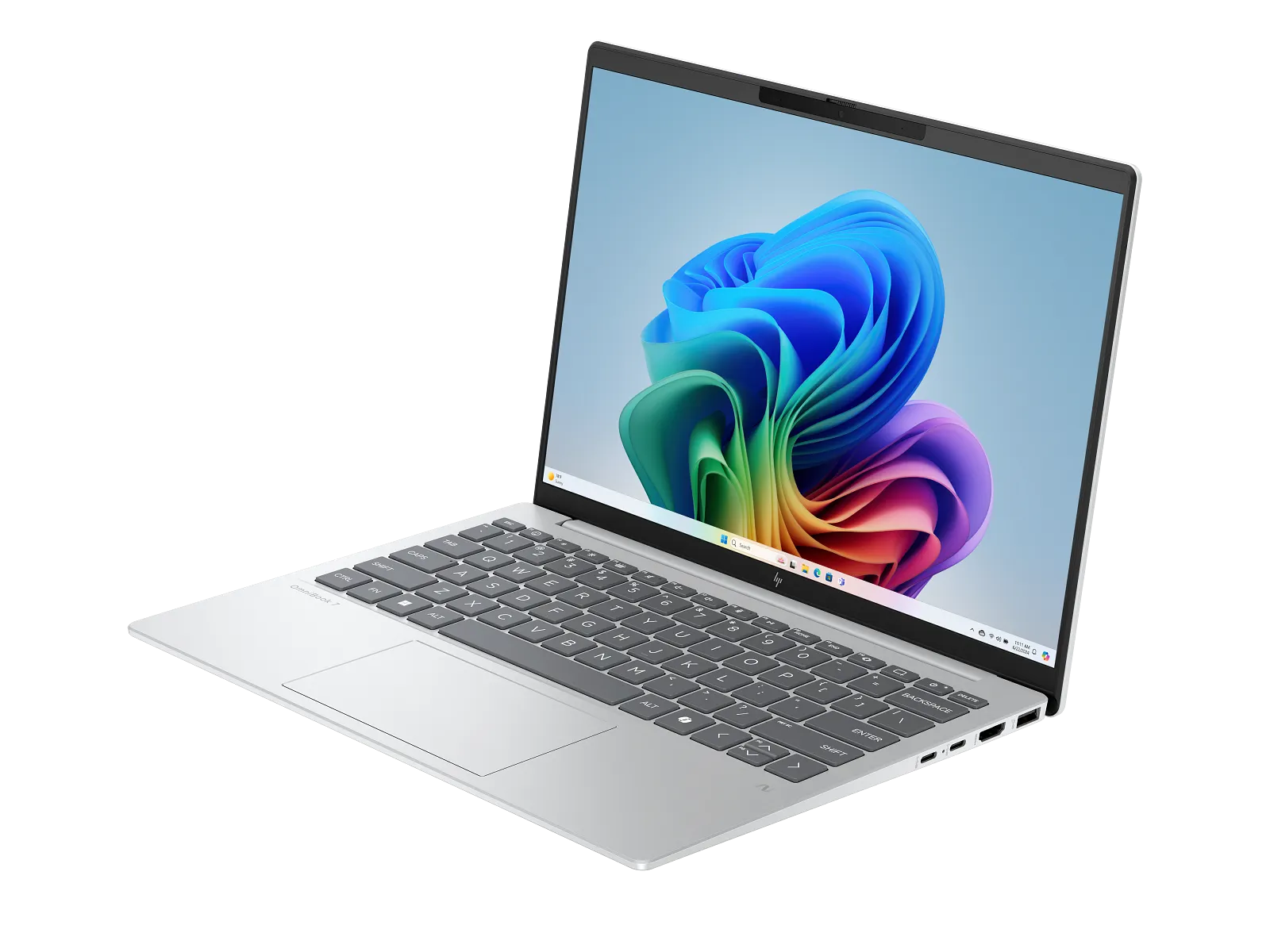
This is the second hands-on entry from a recent Micro Center trip. The ThinkPad X1 Carbon Gen 13 Aura piece was the first. Different vendor, similar weight class, deliberately similar review format so the two can be read side-by-side.
A brief visit with a display unit. Not a review — first impression.
A note on the threshold
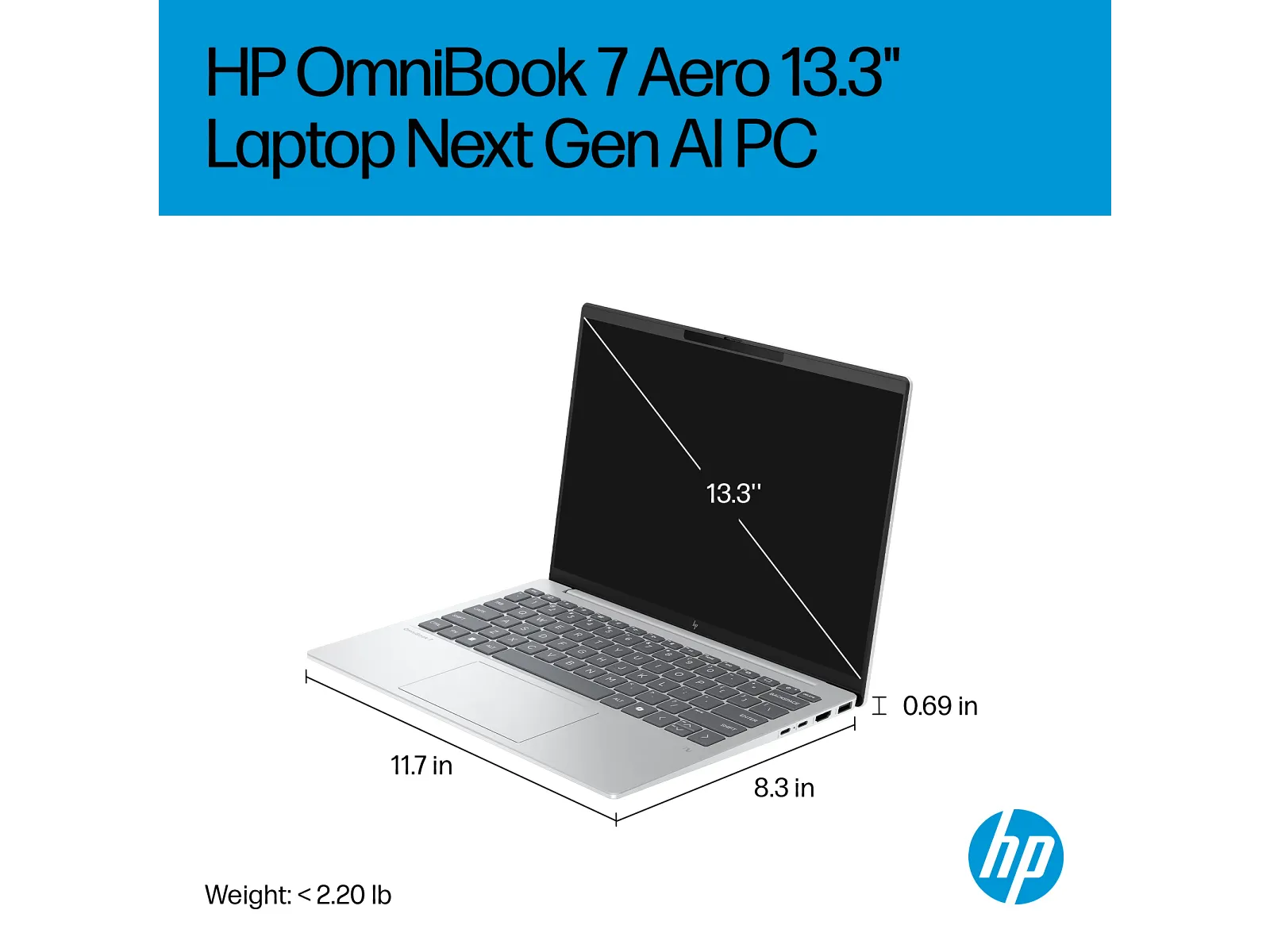
The OmniBook 7 Aero on display is listed at exactly 2.20 lb / 1.00 kg. That puts it right at the under-1 kg line, not below. For practical carrying purposes it’s indistinguishable from the laptops we cover that are technically a few grams under, and so it’s in scope for the site — but worth flagging up front rather than burying.
What the unit was
The Micro Center configuration on display, per their listing:
- SKU: B9KJ7UA#ABA (Micro Center part #843482)
- CPU: AMD Ryzen AI 7 350 (Krackan Point, 8-core / 16-thread)
- CPU clocks: 2.0 GHz base, up to 5.0 GHz turbo
- NPU: AMD Ryzen AI, 50 TOPS (Copilot+ PC class)
- GPU: AMD Radeon 860M (integrated)
- RAM: 16 GB LPDDR5x at 7500 MT/s, soldered, max 16 GB (no upgrade path)
- SSD: 1 TB PCIe Gen4 NVMe M.2
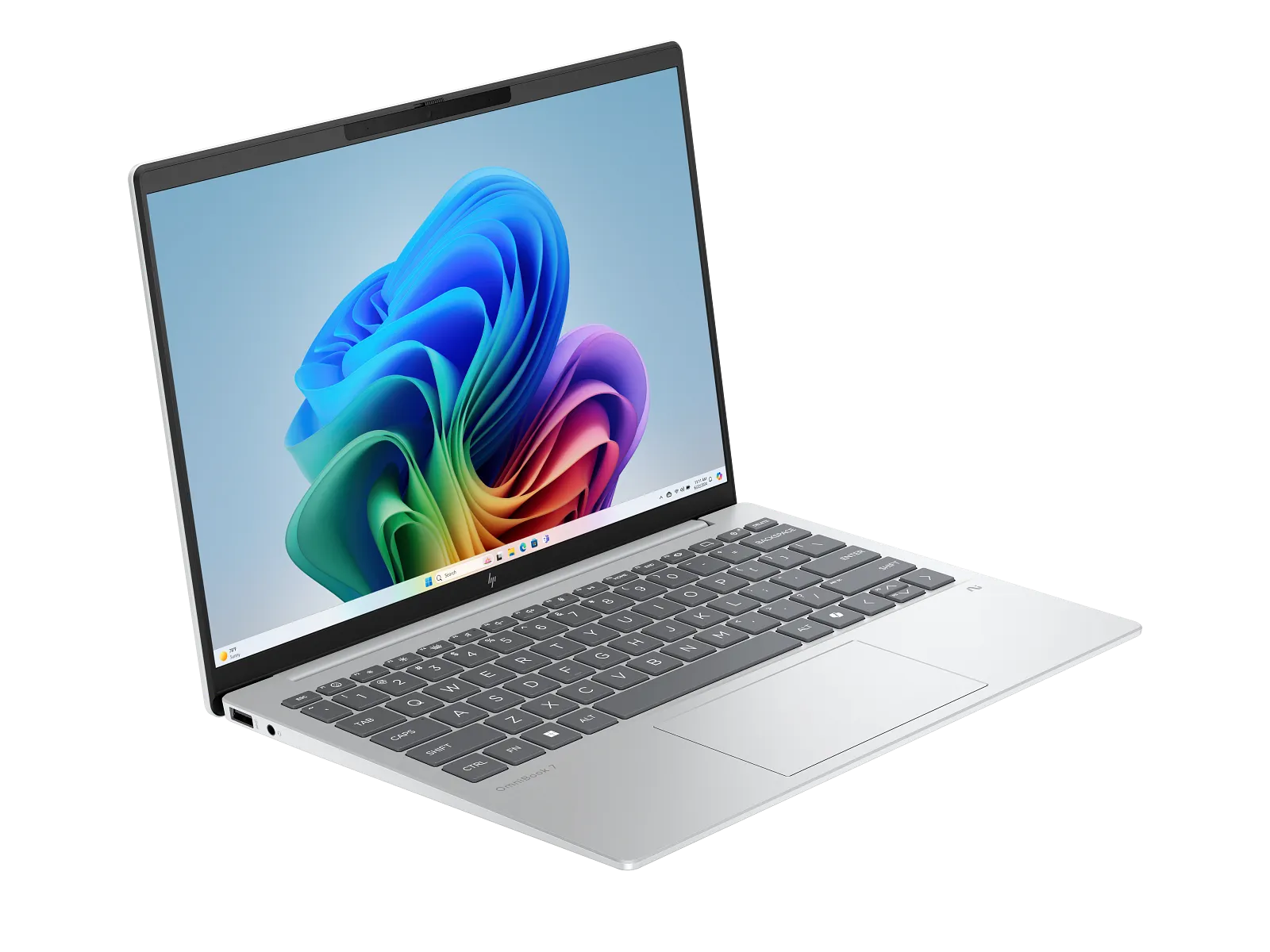
- Display: 13.3” WQXGA (2560 × 1600) IPS, micro-edge, anti-glare, 400 nits
- Camera: 5 MP IR with privacy shutter, Poly Camera Pro, temporal noise reduction
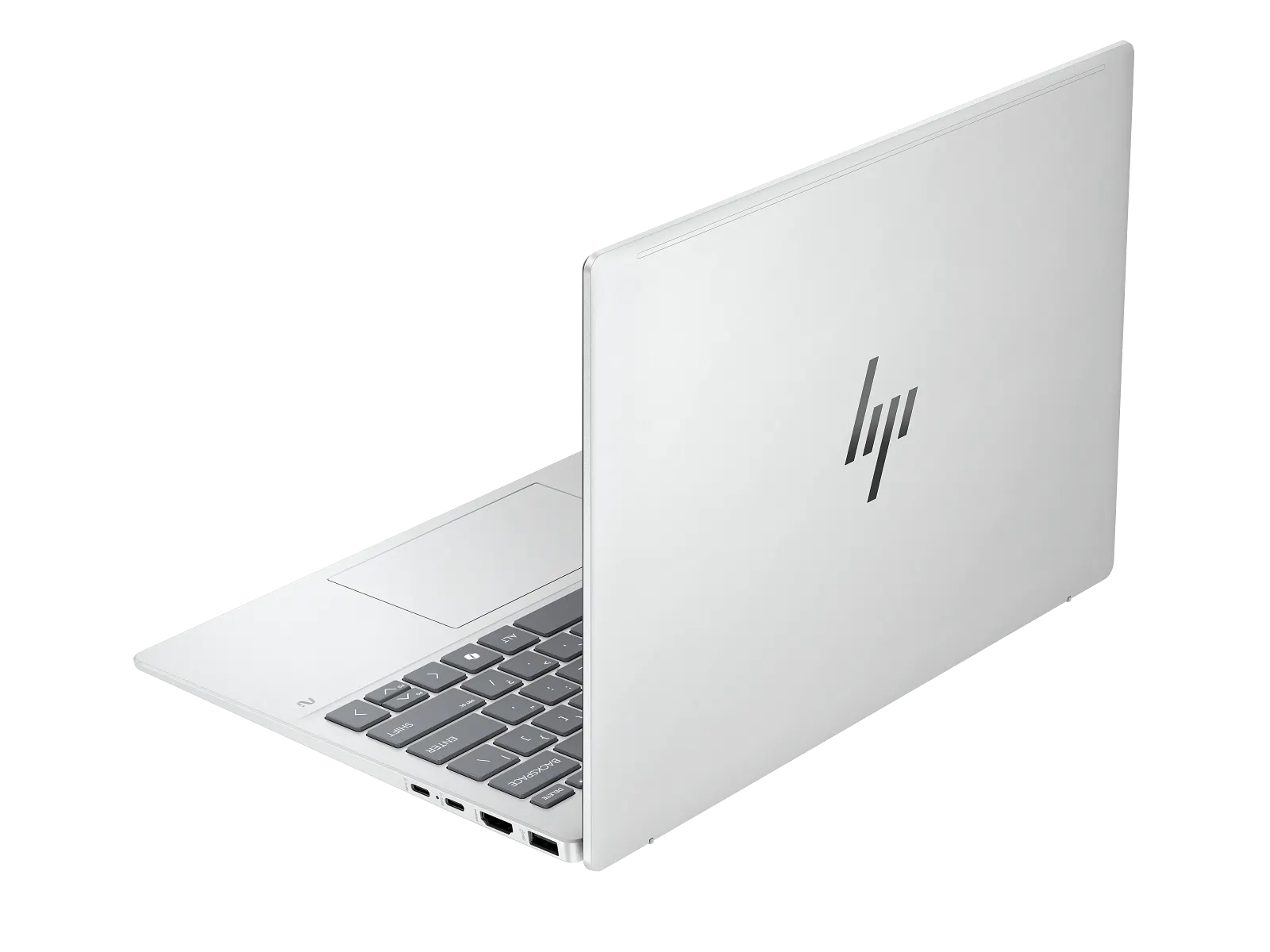
- Ports: 1× USB-A 3.2 Gen 2, 1× USB-A 3.2 Gen 1, 2× USB-C 3.2 Gen 2, HDMI, 3.5 mm combo. No Thunderbolt.
- Wireless: Wi-Fi 6E, Bluetooth 5.3
- Audio: DTS X Ultra, dual speakers, dual array digital mics
- Keyboard: Full-size, backlit, Copilot key
- Power: 65 W USB-C adapter
- Battery: 3-cell Li-ion polymer, “up to 14 hours” stated by HP
- OS: Windows 11 Home
- Weight: 2.20 lb / 1.00 kg
- Dimensions: 11.70 × 8.31 × 0.65 – 0.69 in (16.5 – 17.5 mm thick)
- Color: Glacier Silver lid + base, Soft Grey keys
What I noticed
The chassis is light and feels solid. At 1.00 kg the OmniBook lifts the same way the ThinkPad does — you reach for it expecting the heft of a 14-inch laptop and instead the wrist gives a bit. The Glacier Silver chassis (HP says it includes recycled metals in the lid and base) felt rigid under normal handling. Not as confidently dense as the X1 Carbon’s carbon-fiber sandwich, but not flexy either.
The screen is sharp and pleasing. This is the one place where the OmniBook clearly out-specs the X1 Carbon’s IPS option: 2560 × 1600 at 13.3 inches works out to about 227 PPI, versus roughly 169 PPI for the X1 Carbon’s 1920 × 1200 at 14 inches. In person, the difference is real — text edges are crisper, fine UI elements look cleaner, and the matte anti-glare finish is well-tuned. 400 nits isn’t OLED-bright but it’s plenty for indoor use. If you spend the day looking at text, this panel is a real asset for the price.
The trackpad click is the one thing I’d complain about. Tracking and gestures feel fine — pointer moves where you expect, two-finger scroll is smooth, the surface is large enough. But the physical click is notably softer and less defined than the click on the X1 Carbon Gen 13 in the same store. Where the ThinkPad clicks with a confident, short travel and a clear tactile edge, the OmniBook’s click feels muted — like there’s a layer of foam between your finger and the switch. Not broken or unusable, just less satisfying. If you’re someone who clicks a lot rather than tapping, you’d notice this every day.
For context: I’m comparing two display units in the same retail environment, back-to-back on the same visit. The OmniBook’s trackpad isn’t bad on its own — it suffers in direct comparison.
The keyboard, in passing
Backlit, full-size, has the Copilot key. I typed a few sentences. Decent enough but I didn’t have a strong reaction either way — neither particularly impressive nor disappointing. ThinkPad keyboards tend to spoil you and the OmniBook didn’t displace that, but it didn’t feel cheap either.
Pricing — what I saw on this visit
Point-in-time, not a current quote.
- Micro Center: $899.99, marked down from a list of $1,399.99 (the listing shows “Save $500.00”).
For a sub-1 kg laptop with a 2.5K IPS display and a current AMD Ryzen AI chip, that’s an aggressive price. For comparison, the X1 Carbon configurations I covered ran $999 (refurb low-spec), $1,799 (new IPS-touch), and $2,589 (new OLED). The OmniBook is cheaper than all three — including the factory-refurbished X1 Carbon — while having the highest-resolution panel of any of them.
The trade-offs — honestly
For the price difference there are real compromises worth knowing:
- RAM is capped at 16 GB. The OmniBook can’t be configured to 32 GB. If you keep a laptop 4 – 5 years, this could be the limiting factor.
- No Thunderbolt. USB-C 3.2 Gen 2 only — fast enough for most things, but if you plan to use an eGPU or Thunderbolt dock, this rules it out.
- Wi-Fi 6E, not Wi-Fi 7. Slightly older wireless. Real-world difference: minimal today, more relevant in 3+ years.
- No touchscreen. The X1 Carbon IPS-touch I tried earlier had touch; this OmniBook does not. Personal preference whether that matters.
- AMD Ryzen AI 7 350 vs Intel Core Ultra 7 258V is a question with no simple answer — both are current-generation, both are well-suited to this weight class. Benchmarks split. AMD generally has stronger integrated graphics; Intel’s Lunar Lake is particularly efficient at low-power idle, which often translates to slightly longer battery life.
- Windows 11 Home, not Pro. No BitLocker, no domain join, no RDP into the machine. Fine for personal use; a constraint in some workplaces.
What I’d pair it with — a light wired mouse
The trackpad complaint above isn’t actually load-bearing for me, because I’d never use the trackpad as my primary pointing device anyway. A laptop trackpad is a fallback. Any real mouse — even a cheap one — is more than twice as good for every task I care about, and that’s true for every laptop I’ve ever owned, not just this one.
If I bought the OmniBook 7 Aero, my pairing would be the Endgame Gear OP1 8k v2 in white — a mouse I personally use daily and have come to like a lot. It’s marketed as an esports mouse but it’s excellent for plain office use:
- ~55 grams total weight, less than half what a typical office mouse weighs. For a sub-1-kg laptop pairing, the weight match is the point — you don’t carry the kilogram laptop and then load up with a 130-gram brick of plastic.
- 30K-DPI PixArt PAW3950 sensor with 8000 Hz polling. Massive overkill for spreadsheets; the relevant part is that tracking is rock-solid at any DPI you actually use.
- Hot-swappable Kailh GX optical switches — replaceable if a click ever softens, which addresses my one frustration with the OmniBook’s trackpad in a different form.
- Claw-grip symmetrical shape, soft “Flex Cord” paracord-style cable that doesn’t tug. White finish goes with Glacier Silver reasonably well.
- Around $80 list, regularly on sale.
Wired specifically. The OmniBook has Bluetooth 5.3, so a BT mouse works fine — but BT mice still have occasional input-latency hiccups that wired peripherals don’t. For a daily-driver pointing device, a USB-A wired connection is the simplest reliable answer, and the OmniBook keeps two USB-A ports for exactly this kind of thing.
No commercial relationship with Endgame Gear — I just own one and it’s one of my favorite peripherals. If you already have a wired mouse you like, that’s fine too; the point is to skip the trackpad complaint by not using the trackpad.
What I still don’t know
A brief visit at a retail kiosk can’t tell me:
- Real-world battery life. HP’s stated “up to 14 hours” needs independent verification.
- Sustained CPU performance and fan noise under workload — the store demo doesn’t push the chip.
- Screen color accuracy — the panel looked good but I had no way to measure it.
- Long-term keyboard fatigue — typing in a store isn’t typing daily for hours on end.
- Whether the trackpad complaint would still bother me after a week — the difference was clear in immediate side-by-side; less clear how much it matters in daily use.
A short note on which to pick (vs the X1 Carbon)
If the things that matter most to you are display sharpness and price — and you can live with 16 GB RAM and no Thunderbolt — the OmniBook 7 Aero is genuinely competitive and might be the better buy.
If the things that matter most are the keyboard, trackpad click, build feel, option to spec 32 GB, and Thunderbolt ports, the ThinkPad X1 Carbon Gen 13 Aura is harder to beat at any of its three price points.
I won’t pretend I’ve made a final call between them. The OmniBook’s panel is better at this size, but the X1 Carbon’s input feel made a stronger impression on me overall. A second visit specifically to compare them side by side would help.
Caveats
- A brief in-store look at a single display unit in a retail store. Not a controlled review.
- The trackpad observation is from immediate comparison with the X1 Carbon in the same store on the same day; opinions might differ on a different floor model or after extended use.
- Prices observed are point-in-time; the $500 markdown may not last.
- Image-use posture: HP product images used in editorial context with attribution. No commercial relationship with HP or Micro Center.
- No affiliate links anywhere in this article.