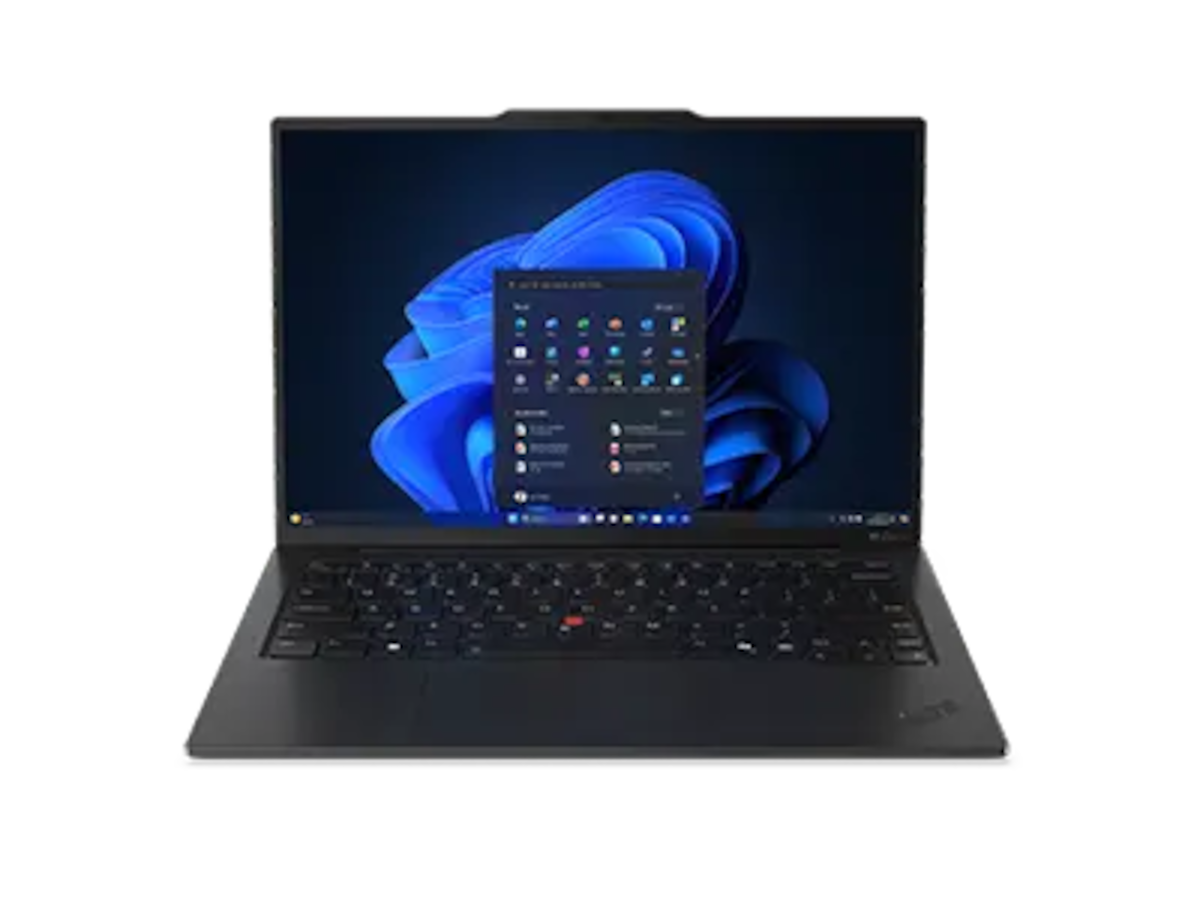
The Lenovo ThinkPad X1 Carbon Gen 13 Aura is sold across a wide configuration range. After tracking three specific listings I’m considering myself, I noticed something worth writing down: the external chassis is the same across all of them — same 0.98 kg, same ThinkPad-grade keyboard, same port layout, same Eclipse Black soft-touch lid — but the prices vary by almost $1,800. That’s unusual enough to be worth thinking through.
This article is companion reading to my hands-on impressions of the IPS-touch unit at Micro Center and the broader research notes piece. I have only physically handled one of these three configurations. The other two are listings, not units I’ve touched.
The three configurations
| Refurb / Low | New / Mid | New / High | |
|---|---|---|---|
| Where | Micro Center (factory refurbished) | Micro Center | Lenovo direct |
| Price observed | $999.99 | $1,799.99 (in-store discount) | $2,589 |
| CPU | Core Ultra 5 226V | Core Ultra 7 258V | Core Ultra 7 258V |
| CPU max turbo | 4.5 GHz | 4.8 GHz | 4.8 GHz |
| GPU | Intel Arc 130V | Intel Arc 140V | Intel Arc 140V |
| NPU TOPS | 40 | 47 | 47 |
| Smart cache | 8 MB | 12 MB | 12 MB |
| RAM | 16 GB LPDDR5x | 32 GB @ 8400 MT/s | 32 GB @ 8533 MT/s |
| SSD | 512 GB PCIe NVMe | 1 TB PCIe Gen4 | 2 TB PCIe Gen5 (M.2 2280) |
| Display | 14” 1920×1200 IPS, touch, 60 Hz, 500 nits | 14” 1920×1200 IPS, touch, 60 Hz, 500 nits | 14” 2880×1800 OLED, non-touch, 120 Hz, 400 nits, HDR 500, 100% DCI-P3 |
| Battery | 57 Wh, 3-cell | 57 Wh, 3-cell | 57 Wh, 3-cell |
| Wireless | Wi-Fi 7, BT 5.4 | Wi-Fi 7, BT 5.4 | Wi-Fi 7, BT 5.4 |
| Audio | Dolby Atmos, 360° mics | (same family) | (same family) |
| OS | Windows 11 Home | Windows 11 Pro | (configurable) |
| Warranty | 1 year limited (refurb) | 1 year limited | Lenovo standard |
| Weight | 2.17 lb / 0.98 kg | 2.17 lb / 0.98 kg | 2.17 lb / 0.98 kg |
Every row above is from official seller listings, not interpolation. The Micro Center spec sheet for the refurb is what alerted me to most of this — a number of details (8 MB cache, 40 TOPS NPU, Arc 130V graphics) had been lost in my earlier writing about this laptop.
What’s the same across all three
For practical daily-use purposes, here’s what doesn’t change:
- Chassis and weight. All three are listed at 2.17 lb / 0.98 kg. Same Eclipse Black soft-touch lid, same carbon-fiber construction.
- Keyboard. Same six-row layout, same backlit keys, same spill resistance, same Copilot key, same UltraNav touchpad. The keyboard is one of the X1 Carbon line’s strongest features and is configuration-independent.
- Ports. All three carry 2× Thunderbolt 4, 2× USB-A (USB 3.2 Gen 1), full HDMI, 3.5 mm combo audio, and the Kensington Nano security slot. No SD or microSD card reader in any configuration.
- Wireless. Wi-Fi 7 and Bluetooth 5.4 across the board.
- Battery cell — 57 Wh, 3-cell Li-ion is the same across all three. Real-world battery life will vary mostly with what you do with the panel (the OLED at 120 Hz will draw more than the IPS at 60 Hz at equivalent brightness).
- Camera and microphones — 1080p RGB+IR webcam, dual 360° microphones with Dolby Atmos audio.
If you mostly type, browse, and write code, you can think of these three as the same laptop at three different speeds and three different displays — not three different products.
Where the money actually goes
The $1,000 jump from refurb to new IPS gets you:
- A faster CPU tier: Ultra 5 226V → Ultra 7 258V. Higher base and turbo clocks (2.1 → 2.2 GHz base; 4.5 → 4.8 GHz turbo), more cache (8 → 12 MB), faster integrated GPU (Arc 130V → 140V), more NPU capacity (40 → 47 TOPS).
- Twice the RAM: 16 → 32 GB.
- Twice the SSD: 512 GB → 1 TB.
- Windows 11 Pro instead of Home (plus full new-product warranty and support).
The next $789 jump from new IPS to new OLED gets you:
- The OLED panel: 2.8K resolution at 120 Hz, anti-glare coating, 100% DCI-P3 color, HDR 500. Non-touch.
- Twice the SSD again: 1 TB → 2 TB, and bumped to PCIe Gen5 (vs Gen4 in the IPS configs).
- A small RAM speed bump: 8400 → 8533 MT/s. Within margin-of-noise for almost everything.
- Lose the touch screen, gain the smoother 120 Hz refresh.
Looked at in isolation, each step is a real upgrade. Looked at together, the practical day-to-day delta between the refurb and the high-spec OLED is much smaller than the $1,589 price gap might suggest — for many workloads anyway.
The refurb question
“Factory refurbished” at Micro Center for $999 is genuinely interesting at this weight class, because:
- The Ultra 5 226V is still a current-generation Lunar Lake chip with excellent power efficiency. It’s slower than the Ultra 7 in benchmarks, but it’s not “old hardware” in any meaningful sense.
- 16 GB RAM was a typical default until recently; for email + browser
- IDE, it’s still sufficient for most users. Power users editing large datasets or running many VMs will feel the limit faster.
- 512 GB is fine if you stream / cloud-save most things; it gets tight if you keep large local libraries.
- Battery life on the lower-clocked Ultra 5 should actually be better than on the Ultra 7 in light workloads.
The honest hesitations:
- Refurb units typically come with shorter warranty than new (Micro Center: 1 year). If reliability is critical and you keep a laptop for 5+ years, the new unit’s full Lenovo support pathway matters more.
- The refurb listing lists Windows 11 Home vs the new IPS unit’s Windows 11 Pro. If you need BitLocker encryption, RDP into this machine, or domain join, that’s a real difference.
- Visible cosmetic wear is common on refurbs, though Micro Center refurb units are generally returned-and-tested rather than visibly worn.
For someone whose primary workload is browser, email, code editor, and document editing — and who isn’t going to keep the laptop more than 3–4 years — the refurb is hard to argue against at this price.
A spec sheet inconsistency worth noting
While compiling this article I noticed something odd. The two Micro Center listings give different chassis dimensions for what should be the same laptop body:
- New IPS-touch SKU: 0.33 – 0.71 in (8.4 – 18 mm) thick
- Refurb IPS-touch SKU: 0.32 – 0.56 in (8.13 – 14.22 mm) thick
The width and depth are identical between listings (12.31 × 8.45 in). The weight is identical (0.98 kg). But the thickness range differs. Possible explanations include: one listing measures with rubber feet included and the other without; one was copied from an earlier spec sheet and not updated; or simple typo. I haven’t been able to verify which is correct.
If the chassis thickness matters to your decision (it usually doesn’t), ask the seller before buying.
My pick — and why
If I were spending my own money today, my ranking would be:
-
New OLED ($2,589) — only if I were keeping the laptop for 4+ years and the panel quality genuinely matters to me daily. The 120 Hz refresh and anti-glare OLED is meaningfully better for reading and design work; the 2 TB SSD removes storage anxiety. This is what I’d actually want.
-
Refurb low-spec ($999.99) — for a no-regrets daily driver if the budget exists for OLED but you’d rather spend the savings on something else. Same chassis, same keyboard, same weight, same port mix. You give up CPU headroom and storage; you don’t give up the things that make the laptop feel like an X1 Carbon.
-
New IPS-touch ($1,799.99) — the awkward middle. You’re paying most of the OLED price without getting the OLED, in exchange for a faster chip and twice the storage over the refurb. Defensible if you specifically need touch + Pro + Lenovo direct warranty, but for everyone else, the gap to either the refurb (cheaper) or the OLED (better display) tells the story.
This ordering reflects my preferences — particularly that I weight display quality heavily and don’t need touch. Yours could legitimately be different. If you’re a light user on a budget, just buy the refurb. If you specifically need the touchscreen, the refurb is the cheapest touch option.
Caveats
- I have only physically handled the new IPS-touch configuration. The refurb listing was researched only — Micro Center didn’t have one on the floor on my visit. The OLED is from Lenovo’s online configurator and I haven’t seen one in person either.
- Prices observed are point-in-time (Spring 2026) and will move. The site’s price-tracking section doesn’t exist yet; treat these as historical snapshots rather than current quotes.
- No affiliate relationships with Lenovo or Micro Center; the links go to public product pages.
- Refurb stock changes constantly. A specific refurb SKU may not be available by the time you look. Use this as a guide to what to look for in a refurb at this weight class, not a guarantee that this specific listing exists.